Features · For HR teams
Aim the challenge. Never expose the cohort.
Combine company and demographic rules, see the eligible count, and enroll employees into a private challenge without opening their health profiles.
Standard filters are self-serve. Health-risk-code targeting is available only to companies with Workforce Health.
Target audience
WhereDepartmentOperations
AndCountryUnited States
AndLanguageEnglish
Eligible count · illustrative284
No employee names are shown in this audience preview.◉ Targeted challenge · Private automatically

Audience rules
Seven dimensions. No activity-level shortcut.
Start with the fields your organization already maintains. Combine them to define who should enter the same challenge surface.
Not a dimension: activity level. Targeting does not infer an audience from who logged more or less.
Health-risk boundary
Health-risk targeting ends at the count.
Workforce Health can match defined risk-code categories such as diabetes, heart, liver, kidney, thyroid, blood health, Vitamin D or B12 deficiency, and inflammation. It does not expose arbitrary biomarker thresholds or the people behind them.
Risk code · diabetesCountry · allDepartment · allNames · unavailable
Matching employees · illustrative92
Company-scoped count. No list, screen, or export resolves the identities.
“The list of users is not displayed to protect individual privacy.”
Enrollment mechanics
Two enrollment paths. No accept step.
Add known participants directly or let an audience rule enroll every match. Both routes put the challenge in the employee app without relying on a legacy email invite flow.
Choose the employees you already know
Use search for an individual or upload a CSV for a larger group.
- Search by employee record
- Bulk add by CSV
- Enrollment is immediate
Enroll every matching employee
Save the audience rule and let matching employees enter instantly.
- Rules use approved dimensions
- New matches enroll automatically
- Challenge remains private
Challenge startsEmployee joinsScore starts here
Late joiners score from their join or add date forward. There is no retroactive credit and no penalty for the period before enrollment.
Campaign context
The challenge stays private by default.
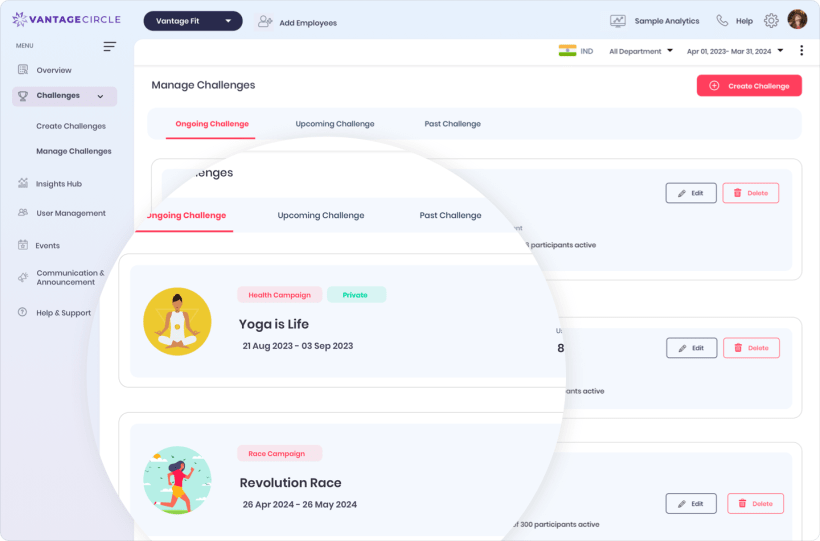
Audience rules live inside challenge creation and management. Applying any targeting filter automatically changes visibility to Private.
Aim with a boundary
See how a brief becomes a private audience rule.
Walk through the approved dimensions, count-only health-risk targeting, enrollment routes, and late-join scoring.
Seven dimensionsCount onlyPrivate automaticallyJoin-date scoring