Multi-week, multi-task
Build weekly themes from any mix of available tasks.
⠿ Week 1 · Steps
⠿ Week 1 · Water
Drag-and-drop is Custom only
Features · For HR teams
Choose a format, set the audience and scoring, then publish the same participation surface every employee log feeds.
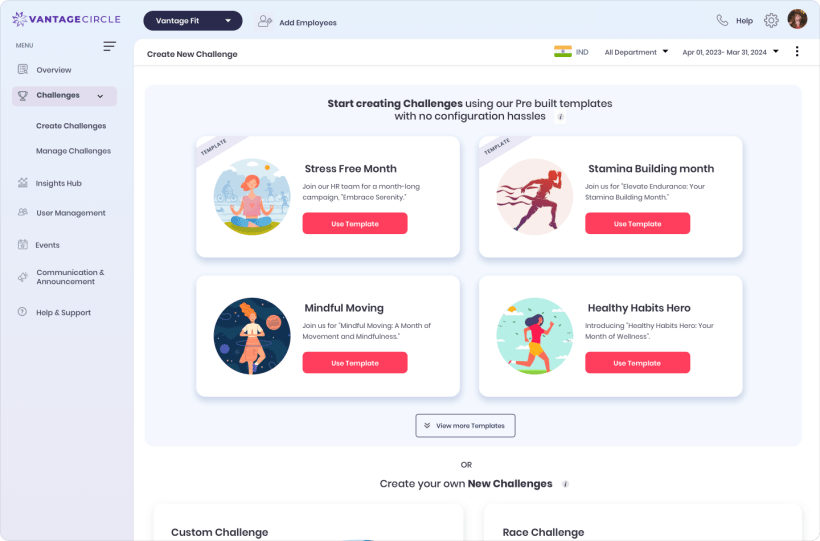
Format → setup → audience → publish

Choose the operating model
The wizard starts with the behavior you want, then keeps the shared setup consistent. Drag-and-drop task design appears only in Custom.
Build weekly themes from any mix of available tasks.
Set the dates and let the leaderboard do the rest.
Fastest setupTurn cumulative steps into visible stations.
2+ built-in templatesReward the consistency of showing up each day.
Daily repetitionConvert steps at a default 1,000 steps per kilometer.
Virtual distance eventCustom challenge builder
Arrange the week, set each target, and let employee logs flow into the challenge. Mood may be a task, but the answer stays private to the employee.
Journey templates
Start with a named route, then set the dates, audience, teams, and certificate. Custom Journey design is handled on the select-partner track.
Cumulative progress to 70,000 steps.
Cumulative progress to 50,000 steps.
The 70,000-step Europe route is an illustration, not a customer result.
Campaign lifecycle
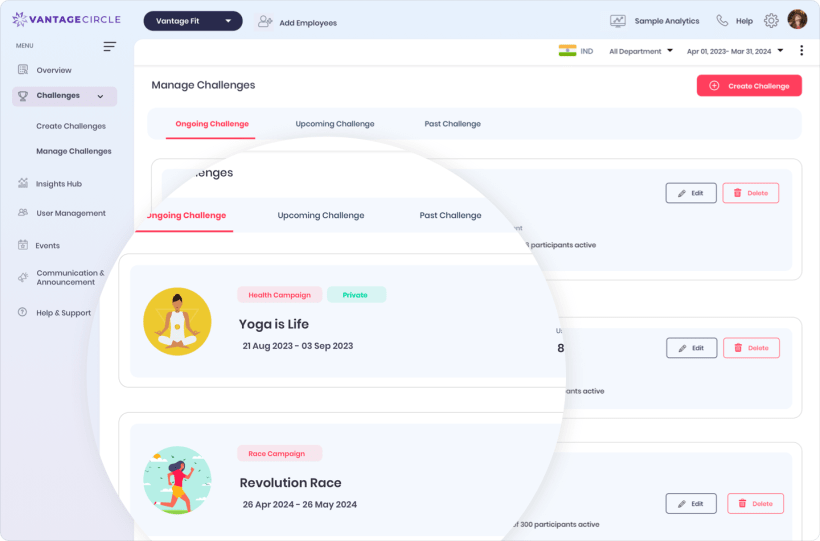
Start and end dates move a campaign automatically. When plans change, admins can intervene without pretending there is a scheduling calendar.
Scope before setup
The builder is broad, but the boundaries are explicit. That keeps the program brief realistic before configuration starts.

Configure challenge branding, certificate logo, seal, signature image, signer details, and description. Team scores use the average of member scores.
Use a steps-only rollout for one-time campaigns or stricter data environments. Deployment can take 1–2 days.
Rewards are gated and live for one company today. They are not a freely enabled builder switch.
Level, Marathon Event, Weight Burn, Training Plans, custom scoring, and employee-managed teams require operational setup.
Build the next one
See the five formats, audience setup, lifecycle controls, and product boundaries in one focused walkthrough.