Features · For HR teams
Notifications that restart the logs.
Employee wellness engagement notifications cover 29 email templates and 34+ deep-linked push types. Buyers often call the gap the quiet 40 percent. That is framing, not a Vantage Fit measured result.
29 email templates 13 named moments 34+ push types

Thirteen moments. Twenty-nine templates.
Corporate wellness program communications already cover onboarding, challenge start, weekly progress, and completion. Push is iOS and Android, with deep links. Web users get the email, not a push.
- WelcomeAccount created
- App IntroductionFirst sign-in
- Challenge EnrollmentAdded to a challenge
- Challenge StartedChallenge goes live
- Weekly ProgressScore and rank
- Challenge CompletionFinal results
- Challenge Reminder24 to 72 hours before start
- Weekly SummaryActivity digest
- Team InviteAdded to a team
- Challenge InvitationAdmin invite
- Event ConfirmationRSVP
- Device ConnectionLink status
- Custom EmailAdmin send
29 is the template count. 13 is the named trigger list. Challenge Reminder is the wellness challenge reminder email. It is off by default.
What you send. What you request.
Preview, custom email, challenge notify, and publish push are self-serve. Master switch, per-type toggles, branding, and reminder timing go through your account manager. That is a process gate, not an annual-only tier.
You can do this today
- Preview email templatesConfiguration → Preview Emails
- Send custom branded emailCommunity → Send Custom Email. All users. Attachments and template selection.
- Challenge notify and inviteManage Challenge → Notify / Invite
- Publish pushCommunity → Publish Notifications. Preview plus audience selection.
You request these
- Master email switchTurns every Vantage Fit email off.
- Per-type togglesNot self-serve today. Dashboard toggles are backlog.
- Banner, logo, colors, program nameApplied per company. Full copy changes are mediated.
- Reminder timing24, 48, or 72 hours before start.
Nudge Inactive Users is a shortcut
It sits on Overview with other Recommended Actions. It opens the relevant admin screen. The send path is not specified. It is not a one-click send.
- 1View Inactive Employees92 users inactive 30+ days. Illustrative sample string.
- 2Nudge Inactive UsersRecommended Action. Send path not specified. Not a one-click send.
Your banner. Their language.
Emails carry the company banner, logo, background and accent color, and program name. Localization is 13+ languages. Custom terms need a translation you provide.

Per-employee notification preferences are not live. Settings are company-level. Rich push with images or action buttons is not live.
When a challenge starts, these templates fire so people begin logging again. The catalog of formats lives on Program builder. Who receives a private challenge lives on Audience targeting.
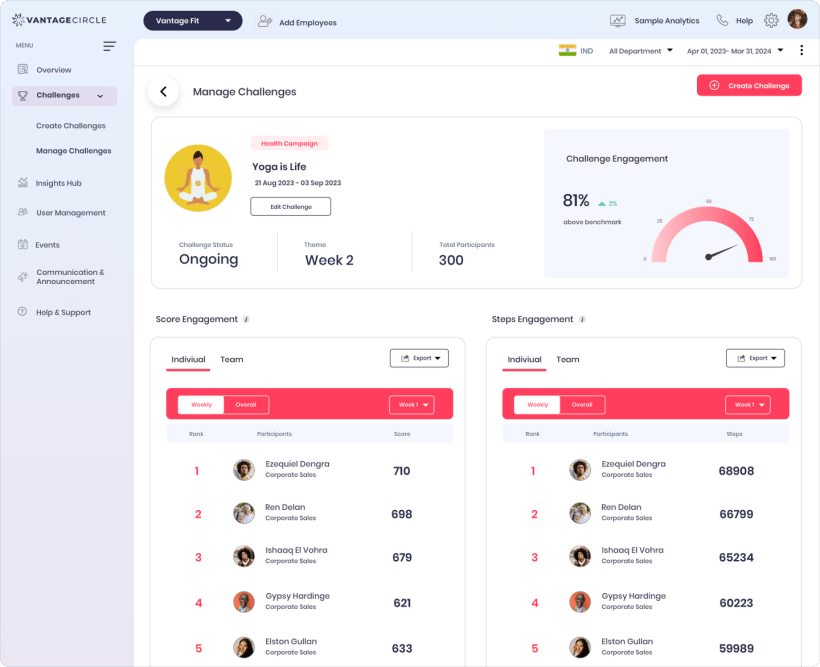
The challenge console those emails and deep links open. Not an inbox screenshot. None ships in the product-image set.
Before you turn the emails on
Can I turn off one email type from the dashboard?
No. The master email switch and per-type toggles are account-manager-only today. You can preview templates and send a custom email yourself.
Do web users get push?
No. Push is iOS and Android, with deep links. Web-app users receive emails. Web push and in-app bell are not live.
Is Nudge Inactive Users automatic?
No. It is a rule-based Recommended Action. The send path is not specified. It is not a one-click send and it is not AI.
Get the quiet people logging again.
Walk through preview emails, a custom send, and the Nudge shortcut on a console that already looks like this.