Everyone matching the filters is enrolled when the challenge starts. For company-wide and time-boxed programs.
Features · For HR teams
Aim a challenge at the right people. Without seeing who they are.
Employee wellness program targeting runs on seven attributes you already hold, plus one the dashboard will never let you read.
Seven dimensions
Health risk returns a count
Filtered means private

Matching employees
418 of 12,480
The list of users is not displayed to protect individual privacy.
Seven dimensions. All of them AND.
Wellness challenge audience segmentation here is deliberately narrow. These are the filters, and there are no others.
CountryOne or several.
CityFor a site or a single office.
DepartmentStraight from your employee data.
GenderAs recorded on the profile.
Age rangeA minimum, a maximum, or both.
LanguageEach employee's chosen language.
Needs Workforce Health
Health risk code
Risk categories from the Health Risk Assessment. Categories, not biomarker thresholds, and never a person.
Filters combine with AND. Women aged 25 to 40 in Engineering in Bangalore is one audience. Leave every filter empty and the challenge goes to everyone.
Filtered means private, automatically.
Apply any filter and the challenge is marked Private. You do not toggle it, and you cannot forget it.
- Only matching employees see it in the app
- It stays off the public challenge listing
- Nobody outside the audience knows it ran
The health-risk filter returns a number.
You can aim a mindfulness challenge at a risk category without learning a single name. The panel shows how many matched, then stops.
Target audience
Step 5 of 7
Country
IndiaUnited Kingdom
City
Any
Department
Operations
Gender
Any
Age range
30 to 55
Language
Any
Health risk
Heart health risk category
Matching employees
418
The list of users is not displayed to protect individual privacy.
Visibility: private
Illustrative panel
What the admin gets
- A count of matching employees, company-scoped
- Confirmation the challenge is now private
- Participation and leaderboard data once it runs
What no screen returns
- Names, emails or employee IDs in the cohort
- An export, filter or report that reveals them
- HRA answers, lab values, weight or mood
Nobody joins a targeted challenge by browsing.
Enrollment is something you do, not something employees opt into. Two rule-based modes, or add people directly.

A match is enrolled the moment they next open the app. For long programs and people who onboard mid-run.
Add by searchFind one employee, add them.
Add by CSVUpload a list, add them in bulk.
Late joiners start from zero, not from behind
Leaderboard score counts from the join or add date forward. No retroactive credit for the weeks before, and no penalty for missing them.
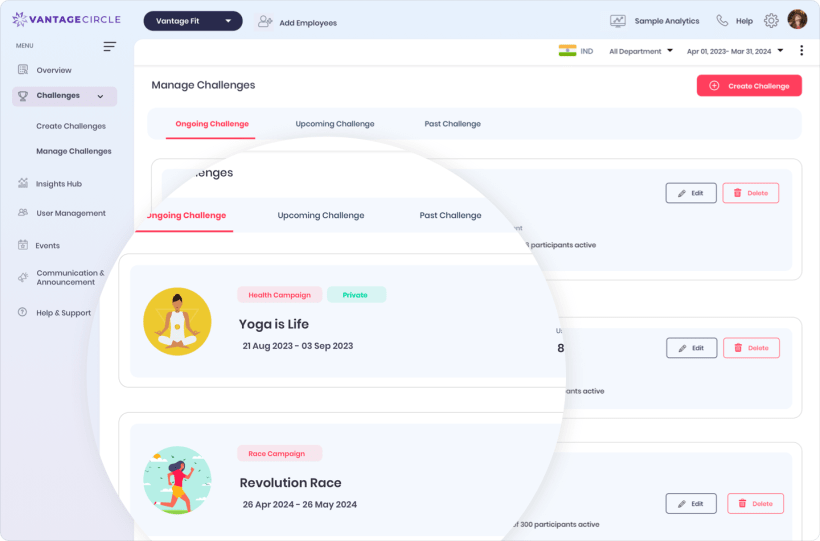
Manage Challenge, where participants are added and a private campaign is edited.
What targeting needs on your plan.
Six dimensions ship with the wizard. The seventh depends on a separate capability.
Bring your org chart. We will aim a challenge at it.
We will build the audience live, show you the count, and show you what the screen refuses to return.
Seven dimensions
Count-only health risk
Private by default