Features · For HR teams
Aim at the right people. Never see who they are.
Vantage Fit employee wellness program targeting scopes any challenge by country, city, department, gender, age range, or language. With Workforce Health enabled, health-risk codes too, and the match comes back as a count, not a list of names.
7 targeting dimensions Count-only health risk Private by default
Target audience · new challenge
CountryUnited States
DepartmentAll departments
Health-risk codeHeart health
1,284
employees match this audience
The list of users is not displayed to protect individual privacy.
Challenge marked private automaticallyIllustrative fragment. The count is not a customer result.
Seven dimensions. One of them answers with a number.
Six dimensions are standard and self-serve on every plan. Health-risk codes come with Workforce Health.
CountryRun one program across regions, or scope to one.Self-serve
CityOffice-level challenges without touching global.Self-serve
DepartmentSales vs engineering, or the whole org chart.Self-serve
GenderIncluded as a standard scope field.Self-serve
Age rangeBands, not birthdates.Self-serve
LanguageMatch the challenge to the app language.Self-serve
Health-risk codeRisk categories from the HRA. Returns a count only.Workforce Health
Not hereActivity level is not a targeting dimension. Neither is mood.By design
Health-risk targeting is a count, not a list.
When you create a challenge, a health-risk audience answers with one number. Any targeted challenge is automatically marked private, so it never appears in a public browse list.
Risk codes are categories, not biomarker thresholds:
DiabetesHeartLiverKidney
ThyroidBlood healthVitamin D / B12Inflammation
No screen and no export exposes who matched. The admin plans a heart-health challenge for about a thousand people and never learns which thousand.
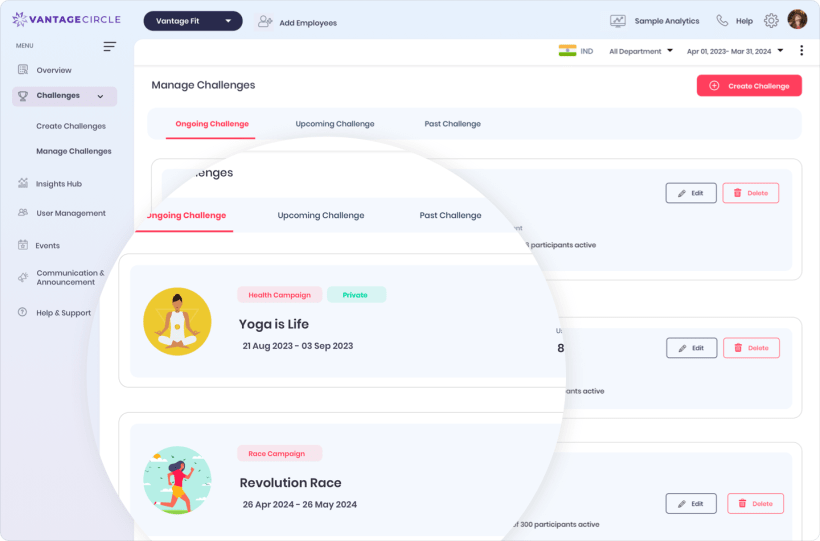

Enrollment is admin work, not an invitation.
Employees do not browse and self-join. People get into a targeted challenge two ways, and the leaderboard treats late arrivals fairly.
Before you aim
Can I target by activity level?
No. Targeting covers country, city, department, gender, age range, language, and, with Workforce Health enabled, health-risk codes. Activity level is not a targeting dimension.
Can I see who is in a health-risk cohort?
No. The match returns a count only, with the privacy disclaimer on screen. No screen or export exposes identities.
Can employees join a targeted challenge themselves?
No. Targeted challenges are automatically private. Employees get in when an admin adds them or an audience rule matches them.
Aim your next challenge at the right crowd.
See the audience panel, the count-only health-risk match, and rule enrollment on a live console.
7 dimensions
Count-only health risk
Private by default
Rule enrollment
Trusted by 100+ organizations.