Every feature. One participation surface.
Steps, a GPS run, a logged meal, a glass of water, a mindful minute, a lab report. Everything an employee logs counts toward the same challenges and the same participation number. This is the whole platform, grouped by who uses what.

One number
100+
One log feeds one number
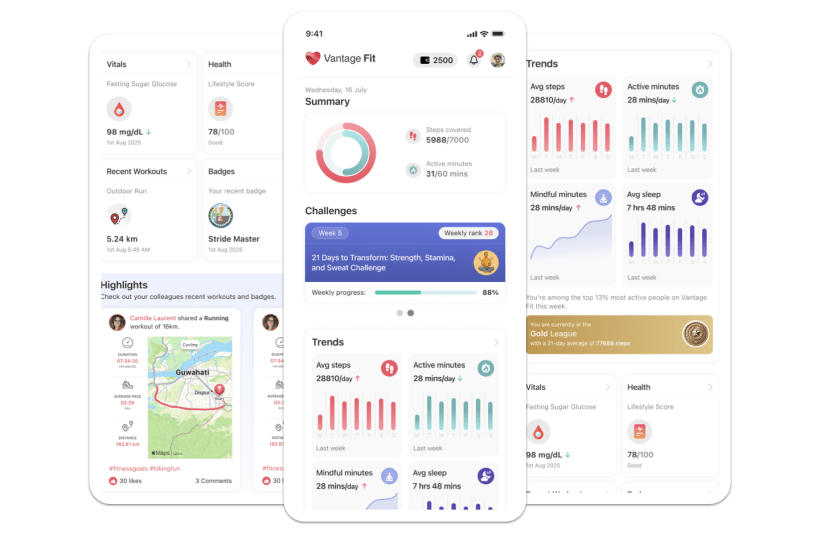
A step count, a workout, a glass of water, a mindfulness session: each entry lands on the same participation surface. A challenge never cares which feature produced the effort, and HR reads the result as a single participation rate, aggregated, never per person.
Read the badges before the cards
Not every feature is on for every client, and this page says so. Four states cover the whole grid.
On for Full-Mode clients. No extra contract toggle.
Set up with your account manager on an annual plan.
Ops-enabled or whitelist. Not day one.
Lite Mode collapses logging to steps only.
All 14 features, three groups
For employees
What employees log on iOS and Android. Every entry feeds the same participation number.
Activity tracking 01
65 activity types. No wearable required. Honest step math.
Self-serve Open the featureFitness & exercise 02
GPS runs, a squat tracker, Fitbit and Garmin. One primary device.
Self-serveNot in Lite Mode Open the featureNutrition & hydration 03
Meal targets from a basic profile. One tap logs 250 ml.
Self-serveNot in Lite Mode Open the featureHealth metrics 04
Sleep, heart rate, weight, optional HRA. Next to the step count.
Self-serveNot in Lite Mode Open the featureMental wellbeing 05
Guided sessions. Minutes count as participation, not mood.
Self-serveNot in Lite Mode Open the featureWellness leagues 06
Always-on Gold, Silver, and Bronze. Ops-configured.
AnnualNot in Lite Mode Open the featurePersonalized programs 07
Two live training plans plus a content library.
Select-partnerNot in Lite Mode Open the featureFor HR teams
The console side: build, target, nudge, and read participation without seeing individuals.
Admin dashboard & analytics 08
Four KPI cards. The number you take upstairs is participation rate.
Self-serve Open the featureProgram builder & templates 09
Five formats. 27 task types. A challenge live before lunch.
Self-serve Open the featureAudience targeting 10
Aim a challenge without seeing who is in the cohort.
Self-serve Open the featureCommunications & nudges 11
29 email templates, 34+ push types. Account manager owns the master switch.
Self-serve Open the featureEnterprise
The plumbing IT asks about: connections, regions, and the lab pipeline.
Integrations & SSO 12
Wearables employees connect. SAML and HRIS that IT sets up.
Self-serve Open the featureSecurity & compliance 13
Four data regions. Aggregate-only reporting for HR.
Open the featureHealth data upload 14
Lab PDF in, AI extraction out. Annual whitelist. HR sees prevalence, not people.
Select-partnerNot in Lite Mode Open the featurePhone first, web where it counts
The full experience: tracking, logging, challenges, and rewards.
Steps, limited manual logging, and the admin dashboard.
Lab-report upload works on web, on Health Data Upload only.
What buyers ask on this page
Do employees need the mobile app, or does the web version work?
iOS and Android carry the full experience. Web covers steps, limited manual logging, and the admin dashboard, plus lab-report upload for clients with Health Data Upload enabled.
What is Lite Mode?
A steps-only mode. The logging surface collapses to step counts and race-style challenges, and every card flagged Not in Lite Mode stays hidden until you move to Full Mode.
Who can use Health Data Upload, and who sees the reports?
It is an annual, whitelist-enabled pipeline. AI extracts lab values from uploaded PDFs, and HR sees cohort prevalence, never an individual report.
See the whole platform in one walkthrough.
We will open a program like yours and show how logs, challenges, and the dashboard connect into one participation number.